


Ir al contenido de la página

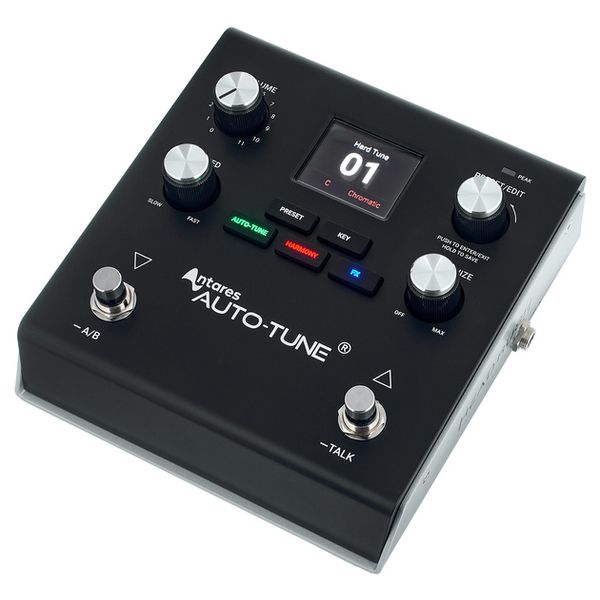
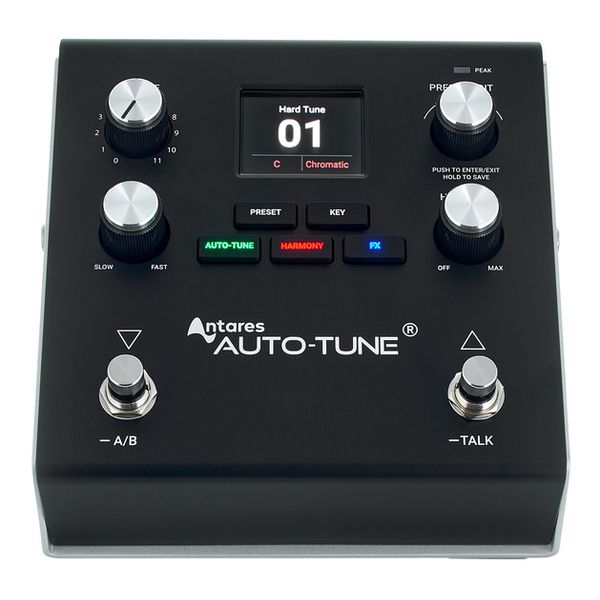
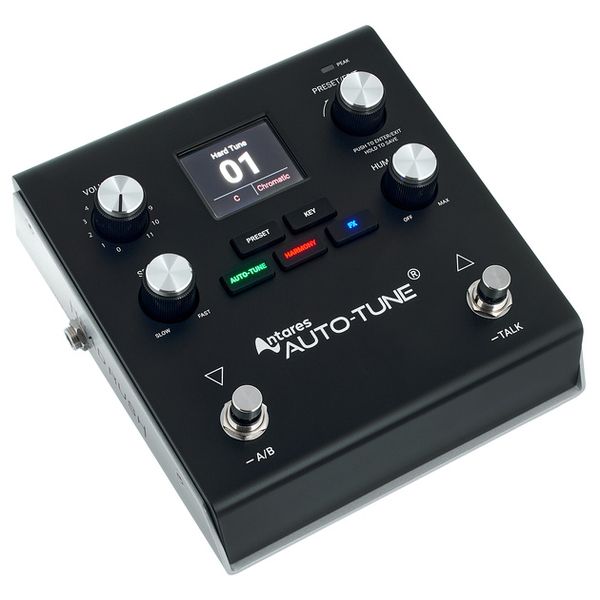
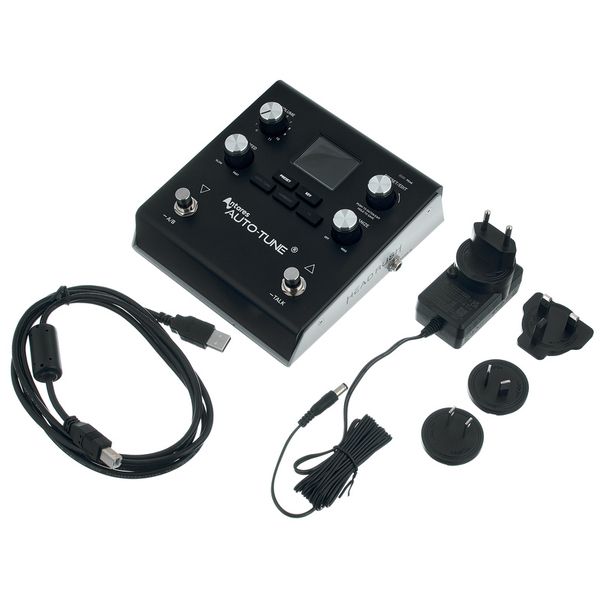
Vocal Processing Pedal

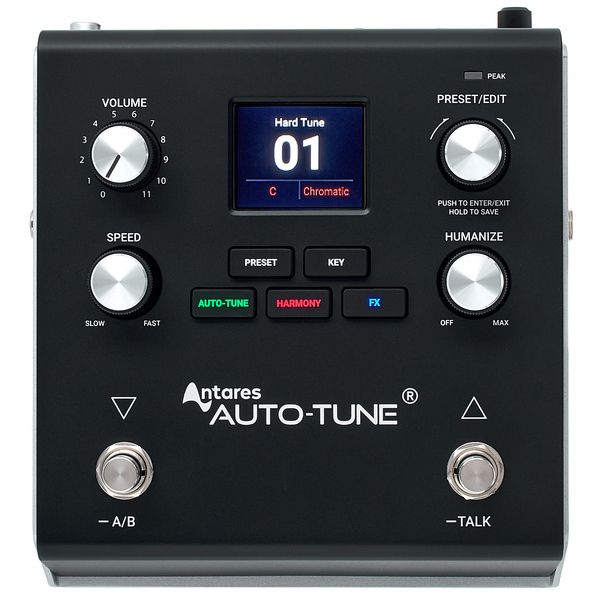
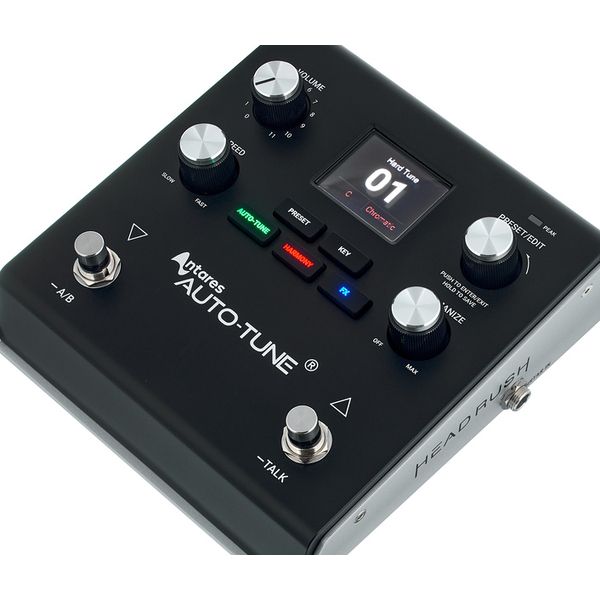
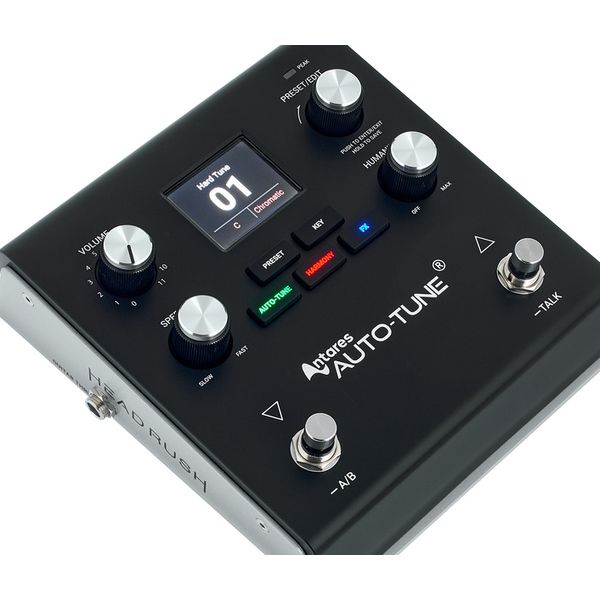
  • Pitch correction in real time with Antares AutoTune
  • Retune Speed and Humanize controls allow for everything from subtle pitch correction to a pronounced Auto-Tune effect
  • Harmoniser mode automatically generates harmonies for the voice in the selected key or to match the connected instrument (e.g. guitar or keyboard)
  • Internal effects: Reverb, delay, chorus, compressor and more
  • Memory locations for 250 presets
  • Built-in 24-bit/48 kHz USB audio interface
  • OLED colour display
  • Two footswitches for navigation
  • A/B mode and Talk mode
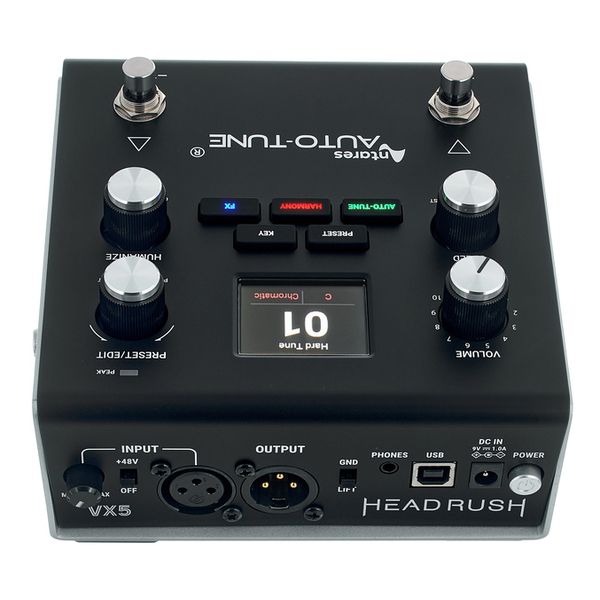
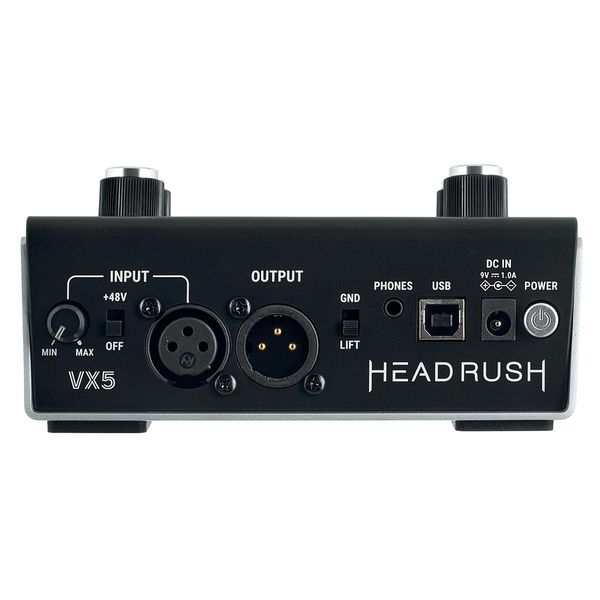
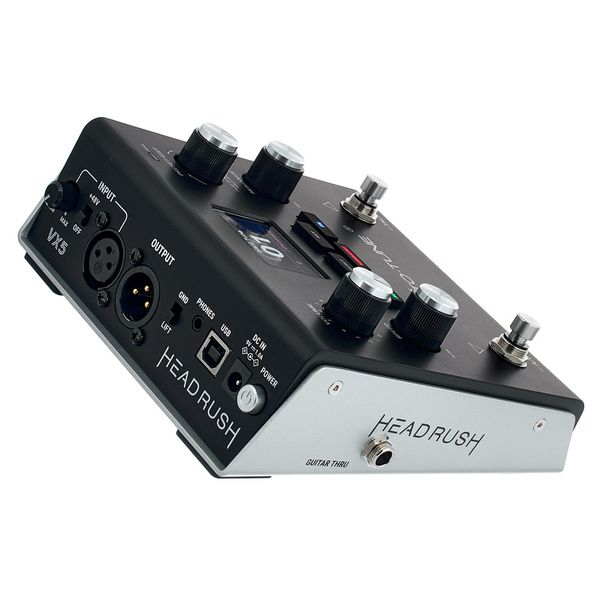
  • Microphone preamplifier (XLR) with switchable +48V phantom power
  • Line output (XLR) with switchable Ground Life
  • USB-B port for USB MIDI and audio
  • Stereo headphone output: 3.5 mm jack
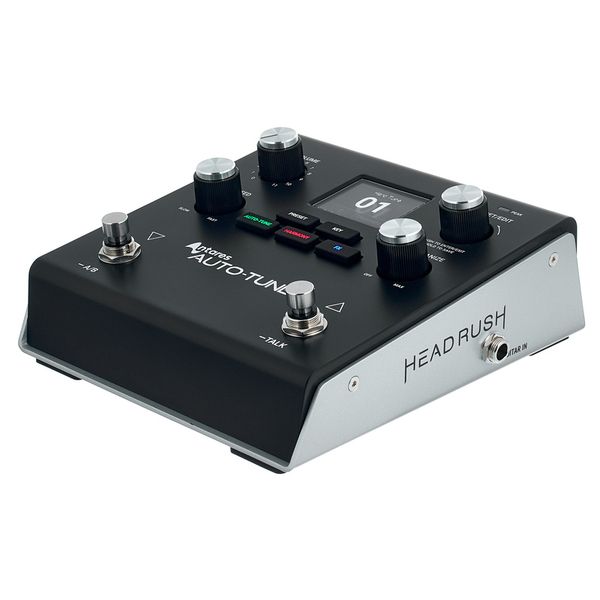
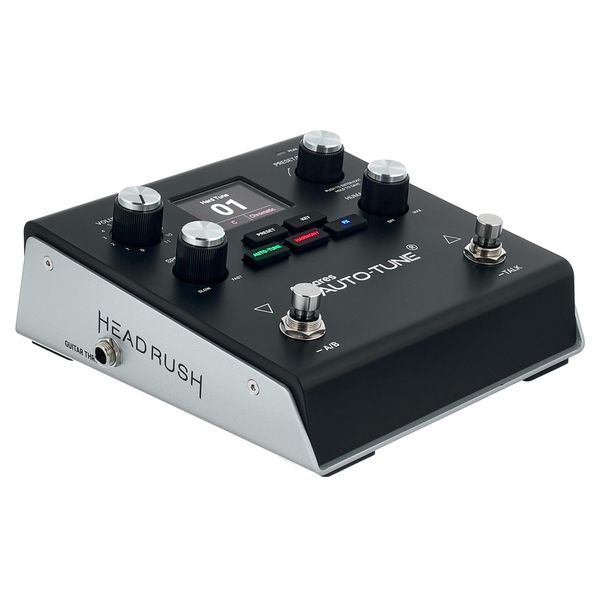
  • Input and thru output for instruments: 6.3 mm jack
  • Power supply input (DC 9V / 1.0A)
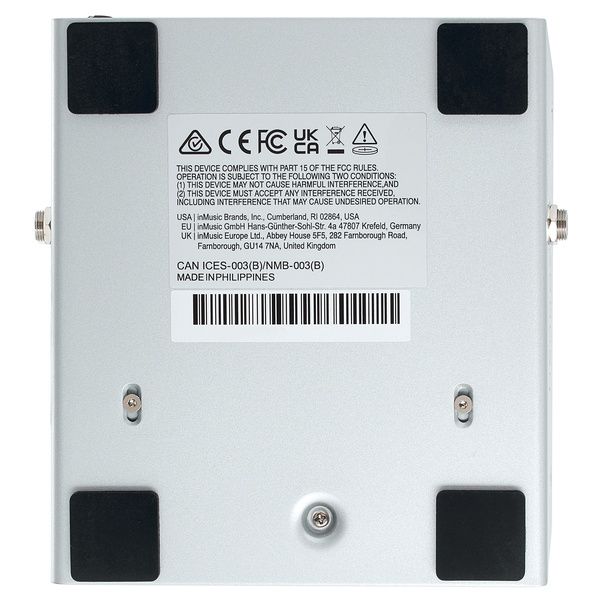
  • Dimensions (W x D x H): 168 x 152 x 70 mm
  • Weight: 1.14 kg
  • Disponible desde Julio 2025
  • número de artículo 621434
  • Precio por 1 Unidad(es)
B-Stock desde 222 € disponible
259 €
Todos los precios incluyen IVA
En stock
1

15 Valoraciones de los clientes

3.9 / 5

Uso

Características

Sonido

Fabricación

14 Reseñas

S
Apollo
Sarria 05.04.2026
Conectar el procesador vocal HeadRush VX5 a una interfaz Universal Audio Apollo permite combinar el procesamiento de voz en tiempo real del VX5 con la alta calidad de conversión de UAD.
Instagram
Instagram
+1
Aquí tienes los pasos para realizar la conexión, principalmente mediante XLR para aprovechar el preamplificador de la Apollo:
1. Conexiones Físicas
Micrófono a VX5: Conecta tu micrófono a la entrada de micrófono (XLR Input) del HeadRush VX5.
VX5 a Apollo: Conecta la salida de audio (XLR Output) del VX5 a una entrada de micrófono/línea de la Apollo (por ejemplo, Input 1).
Usa cables XLR balanceados de alta calidad para evitar ruido.
Alimentación: Conecta el VX5 a la corriente eléctrica.
YouTube
YouTube
+1
2. Configuración en la HeadRush VX5
Activa la alimentación Phantom (48V) en el VX5 solo si estás usando un micrófono de condensador.
Ajusta la ganancia de entrada y el volumen de salida del VX5 para que la señal llegue con buen nivel a la Apollo, pero sin saturar.
YouTube
YouTube
3. Configuración en Universal Audio Apollo (Consola UAD)
Abre la Consola UAD en tu ordenador.
En el canal donde conectaste la VX5, asegúrate de que la entrada esté configurada como Line (o Mic, si prefieres usar el preamplificador de la Apollo, pero generalmente se prefiere "Line" si el VX5 ya está elevando la señal).
Ajusta la ganancia en la consola para obtener un nivel de señal saludable (que llegue a la parte superior del medidor verde, justo antes del amarillo).
YouTube
YouTube
+2
4. Grabación en DAW
Abre tu DAW (Ableton, FL Studio, Pro Tools, etc.).
Selecciona la interfaz Apollo como tu dispositivo de audio.
Selecciona el canal de entrada correspondiente a tu VX5 para grabar.
Consejo PRO: Puedes utilizar los plugins UAD en la Consola UAD (como emuladores de preamplificador UA 610B o compresores Teletronix) para añadir un procesamiento final tras la señal del VX5.
Uso
Características
Sonido
Fabricación
0
0
Reportar evaluación

Reportar evaluación

google translate gb
Lamentablemente hubo un error. Por favor, inténtelo de nuevo más tarde.
F
Feels incomplete
FonsTheBun 28.10.2025
I bought being very excited about it, construction is amazing, very robust and everything, but the features just feel incomplete. You can only use one FX at a time, there is no way to put the delay on bpm or do tap bpm, it’s just milliseconds but you can’t set up an exact time, it seems to jump randomly on time, you also can’t adjust repetitions or the tone of the delay. The reverb is very muddy and you can’t do a predelay,or EQ it, kinda useless and sounds awful and overpowering, all of them.

It is a promising product but at the moment without a proper firmware update is pretty useless for most genres… Disappointing, will return it.
Uso
Características
Sonido
Fabricación
8
5
Reportar evaluación

Reportar evaluación

google translate gb
Lamentablemente hubo un error. Por favor, inténtelo de nuevo más tarde.
VS
👍🏻
Verdy Studio 30.04.2026
It is a product that has been awaited for a very long time, it is the product that helps a lot LIVE but also in recording studios... my opinion is that no one has done a 100% Review of this product, it can be used both vocally and for instruments, I really want to test it on the violin, clarinet and so on, and by third I mean.
Uso
Características
Sonido
Fabricación
0
0
Reportar evaluación

Reportar evaluación

google translate gb
Lamentablemente hubo un error. Por favor, inténtelo de nuevo más tarde.
m
Great Device
mcelias 28.11.2025
Great pitch-correction: The Auto-Tune implementation (with Retune Speed and Humanize controls) lets you dial in anything from subtle tuning to full “T-Pain / modern pop” effect.
Uso
Características
Sonido
Fabricación
3
1
Reportar evaluación

Reportar evaluación
